







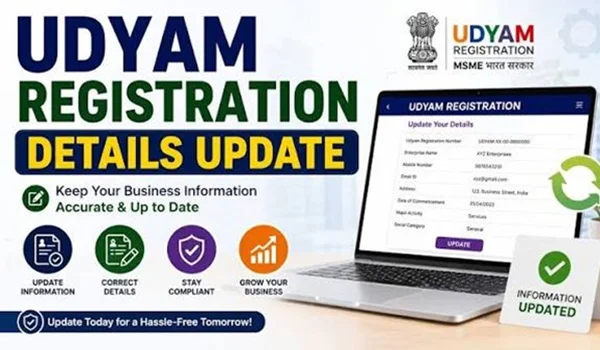
Udyam Registration is the official online registration system for Micro, Small and Medium Enterprises (MSMEs) in India. It is managed by the Ministry of Micro, Small and Medium Enterprises, Government of India.
The registration process is online, paperless and free of cost. Eligible businesses can apply through the official Udyam Registration portal and receive a permanent Udyam Registration Number along with an online certificate.
If you have already applied for Udyam Registration, you can also use the official portal to access your registration details and account.
This guide explains how to apply for Udyam Registration online, what information is required, how to check your registration details and what to do if you forget your Udyam number.
What Is Udyam Registration?
Udyam Registration is the official government registration process for eligible Micro, Small and Medium Enterprises.
After successful registration, an enterprise receives:
- A permanent Udyam Registration Number
- Udyam Registration Certificate
- Dynamic QR code on the certificate
- Access to applicable MSME-related government services and schemes
The government states that there is no requirement to renew Udyam Registration after registration.
The official portal also warns businesses about fake websites and states that Udyam Registration is free of cost.
Official Udyam Registration Website
You should use only the official government portal for Udyam Registration.
Official Website: https://udyamregistration.gov.in/
The government specifically advises applicants not to use private websites or agencies for the official MSME registration process.
Who Can Apply for Udyam Registration?
A person who intends to establish an eligible Micro, Small or Medium Enterprise can apply for Udyam Registration online.
The registration system covers eligible enterprises involved in activities such as:
- Manufacturing
- Services
- Trading
- Other eligible business activities
The enterprise must satisfy the applicable MSME classification criteria.
Current MSME Classification
From April 1, 2025, the classification limits are:
| Category | Investment Limit | Annual Turnover Limit |
| Micro | Up to ₹2.5 crore | Up to ₹10 crore |
| Small | Up to ₹25 crore | Up to ₹100 crore |
| Medium | Up to ₹125 crore | Up to ₹500 crore |
Both investment and turnover criteria are relevant for classification.
What Is Required for Udyam Registration?
Udyam Registration is designed as a paperless process. The official portal states that applicants do not need to upload documents, certificates or proof during registration.
You should generally keep the following information ready:
- Aadhaar number
- Name as per Aadhaar
- PAN details
- GSTIN, where applicable
- Mobile number
- Email address
- Name of the enterprise
- Type of organisation
- Business address
- Date of commencement
- Bank account details
- Business activity details
- Investment and turnover information
- Number of employees
- Appropriate NIC activity details
The Aadhaar requirement depends on the type of organisation. For example, it can be the proprietor’s Aadhaar for a proprietorship, the managing partner’s Aadhaar for a partnership and the karta’s Aadhaar for an HUF. Companies, LLPs, cooperative societies, societies and trusts have additional PAN, GSTIN and authorised-signatory requirements as applicable.
How to Apply for Udyam Registration Online
The application can be completed online through the official government portal.
Step 1: Visit the Udyam Registration Website
Open the official Udyam Registration portal:https://udyamregistration.gov.in/
On the homepage, select the option for new entrepreneurs who are not already registered as MSME.
Step 2: Enter Aadhaar Details
The first stage is Aadhaar verification.
Enter:
- Aadhaar number
- Name of the entrepreneur as shown on Aadhaar
Accept the required declaration and proceed with verification.
The official registration form states that Aadhaar is required for Udyam Registration.
Step 3: Complete PAN Verification
After Aadhaar verification, complete the PAN verification process.
For organisations such as companies and LLPs, PAN and GSTIN information is required as applicable under the relevant rules.
Step 4: Enter Enterprise Details
The next stage requires information about the business.
Depending on the organisation, you may need to provide details such as:
- Enterprise name
- Organisation type
- Business address
- State
- District
- Date of commencement
- Previous registration details, if applicable
- Bank account details
- Business activity
- NIC code
- Employee details
- Investment details
- Turnover details
Enter the information carefully because the registration is based on self-declaration.
Step 5: Add Business Activity
You need to select the appropriate business activity or activities.
The Udyam system allows an enterprise to include multiple activities in a single registration. The government states that an enterprise should not file more than one Udyam Registration for the same enterprise.
Step 6: Submit the Application
Check all the information before submitting the registration.
Make sure:
- Aadhaar information is correct
- PAN information is correct
- Business name is correct
- Contact details are correct
- Business address is correct
- Bank details are correct
- Business activity is correctly selected
After completing the required verification, submit the application.
Step 7: Receive Your Udyam Registration Number
After successful registration, the enterprise receives a permanent Udyam Registration Number.
The government also issues an online Udyam Registration Certificate with a dynamic QR code.
How to Check Udyam Registration Status
Many applicants search for “Udyam Registration status check” after submitting their application.
The official portal provides options for accessing and verifying Udyam registration information.
If you already have your Udyam Registration Number and want to access your registration account, you can use the official Udyami Login page.
https://udyamregistration.gov.in/Udyam_Login.aspx
How to Login to Udyam Registration
To access the Udyam account, you need:
- Udyam Registration Number
- Mobile number used in the application
- OTP received on the registered mobile or email
- Verification code shown on the portal
The official login page specifies that the Udyam Registration Number follows the format UDYAM-XX-00-0000000.
Login Process
- Open the official Udyami Login page.
- Enter your Udyam Registration Number.
- Enter the mobile number used in the application.
- Select OTP on mobile or email.
- Enter the verification code.
- Click Validate & Generate OTP.
- Enter the OTP received.
- Click Validate OTP & Login.
You can then access the relevant registration information through the portal.
How to Check Udyam Registration Number If You Forgot It
If you have forgotten your Udyam Registration Number, you do not necessarily need to submit a new registration.
The official portal has a Forgot UAM/Udyam Registration Number facility.
Forgot Udyam Registration Number – Official Portal (https://udyamregistration.gov.in/ForgotRegNo.aspx)
Steps to Recover Your Udyam Number
- Open the official Forgot Udyam Registration Number page.
- Select Udyam Registration.
- Choose OTP through mobile or email.
- Enter the mobile number or email used during registration.
- Enter the verification code.
- Generate OTP.
- Enter the OTP received.
- Complete the verification.
According to the official portal, after successful OTP verification, the registered numbers associated with the selected details can be displayed.
How to Check Udyam Certificate
After completing registration, the Udyam Registration Certificate is issued online.
The certificate contains a dynamic QR code that can be used to access the enterprise’s information on the official Udyam portal.
If you have your Udyam Registration Number and registered mobile number, you can use the official Udyami Login facility to access your account.
Is Udyam Registration Free?
Yes. Udyam Registration is free.
The official government portal clearly states that there is no fee or cost for filing Udyam Registration.
Applicants should be careful about websites that ask for payment for the official registration itself.
The safest option is to use the government website directly.
Does Udyam Registration Need Renewal?
No. Udyam Registration is permanent and does not require renewal.
However, businesses should keep their information updated when required and comply with applicable government requirements.
Can I Have More Than One Udyam Registration?
The government states that an enterprise should not file more than one Udyam Registration.
However, multiple business activities, including manufacturing and services, can be included in one Udyam Registration.
Therefore, creating a separate Udyam registration for every business activity is generally not the correct approach.
What If I Have an Old Udyog Aadhaar Registration?
Businesses that previously had Udyog Aadhaar Memorandum (UAM) or certain earlier MSME registrations are required to move to the Udyam system.
The official portal provides a separate option for UAM Migration to Udyam.
If you have an old Udyog Aadhaar number, do not automatically apply for a completely new registration. First check the migration option available on the official portal.
Common Problems During Udyam Registration
Applicants may sometimes face issues during the registration or login process.
Aadhaar Verification Problem
Make sure the Aadhaar number and name entered match the required details.
PAN Verification Problem
Check that the PAN details are correct and correspond to the appropriate enterprise or person.
OTP Not Received
Check whether the mobile number or email entered is the same one used during registration.
Also check your email spam or junk folder if you selected email OTP.
Forgot Udyam Number
Use the official Forgot UAM/Udyam Registration Number facility rather than creating another registration.
Multiple Registration Issue
Do not create another Udyam Registration simply because you cannot find your previous number. First try to recover the existing registration.
Udyam Registration: Important Points
Before applying, remember these points:
- Udyam Registration is an official MSME registration system.
- Registration is free.
- The process is online and paperless.
- Aadhaar is required.
- PAN and GSTIN details are used as applicable.
- Documents generally do not need to be uploaded.
- Registration is based on self-declaration.
- A permanent Udyam Registration Number is issued.
- The certificate is issued online.
- The certificate has a dynamic QR code.
- Registration does not require renewal.
- One enterprise should not have multiple Udyam Registrations.
- Multiple activities can be included in one registration.
Frequently Asked Questions
What is the official website for Udyam Registration?
The official website is the Udyam Registration Portal operated by the Government of India:
udyamregistration.gov.in
Is Udyam Registration free?
Yes. The official government portal states that there is no fee for filing Udyam Registration.
Can I apply for Udyam Registration online?
Yes. The entire registration process is available online through the official portal.
How can I check my Udyam Registration?
You can use the official Udyami Login facility with your Udyam Registration Number, registered mobile number and OTP.
What if I forgot my Udyam Registration Number?
Use the official Forgot UAM/Udyam Registration Number option and verify your registered mobile number or email through OTP.
Do I need to upload documents?
The official Udyam portal states that documents, certificates or proof do not need to be uploaded for registration.
Does Udyam Registration expire?
No. The government states that there is no requirement for renewal of Udyam Registration.
Final Words
Udyam Registration makes it easier for eligible businesses in India to obtain official MSME recognition through a free and paperless online process.
The basic process involves Aadhaar verification, PAN verification, entering business information, submitting the application and receiving the Udyam Registration Number and certificate.
If you have already registered but cannot find your number, the official portal provides login and registration-number recovery options. Always use the government Udyam portal rather than paying an unofficial website or agent for the registration itself.
For the latest requirements and online services, use the official Government of India Udyam Registration portal.